
前言
我很久之前在Qexo的项目提出了针对Gitea的支持,没想到Qexo作者采纳并很快完成了该功能的模块,这里给作者点赞。 之前一直在寻找hexo的私有化部署,尝试过阿里云的云效流水线、华为云的CodeArts流水线,以及最开始的Github的托管方式,效果不是太理想。 最终选择在Gitea上托管Hexo博客,并使用Qexo写作触发Gitea Actions来完成hexo的部署。
准备工作
- 云服务器或者自托管
- 部署好Gitea和gitea actions
- 一台电脑 (当然手机也可以)
- SSH的客户端(PuTTy\XTerminal)
Docker部署Qexo
这里使用1panel面板进行部署,可以选择命令行或者在1panal容器上面创建编排。
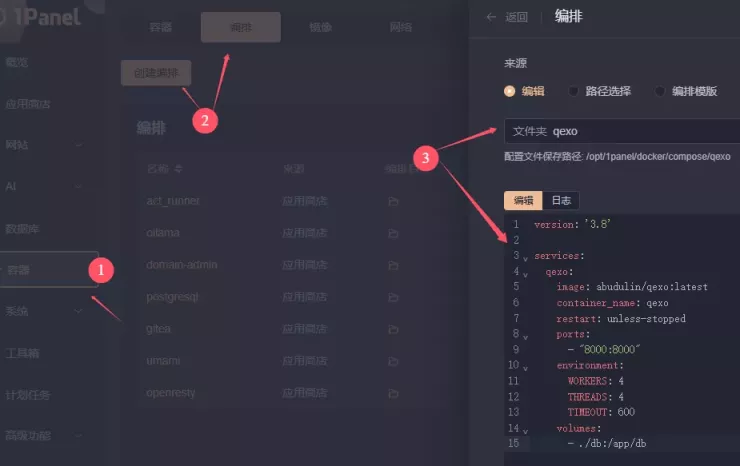
使用docker-compose进行部署
version: '3.8'

services:
  qexo:
    image: abudulin/qexo:latest
    container_name: qexo
    restart: unless-stopped
    ports:
      - "8000:8000"
    environment:
      WORKERS: 4
      THREADS: 4
      TIMEOUT: 600
    volumes:
- ./db:/app/db也可以使用docker命令行进行部署
docker run -d \
    --restart=unless-stopped \
    -v $(pwd)/db:/app/db \
    -p 8000:8000 \
    -e TIMEOUT=600 \
    --name="qexo" \
abudulin/qexo:latest其中 $(pwd)/db 为数据存储目录,8000 是访问端口, 你可以改为需要的地址
Qexo安装
Docker安装完成后,打开yousite:8000 进行初始化安装(如无法正常访问可以去看一下防火墙策略,如果没有添加对应的规则即可)
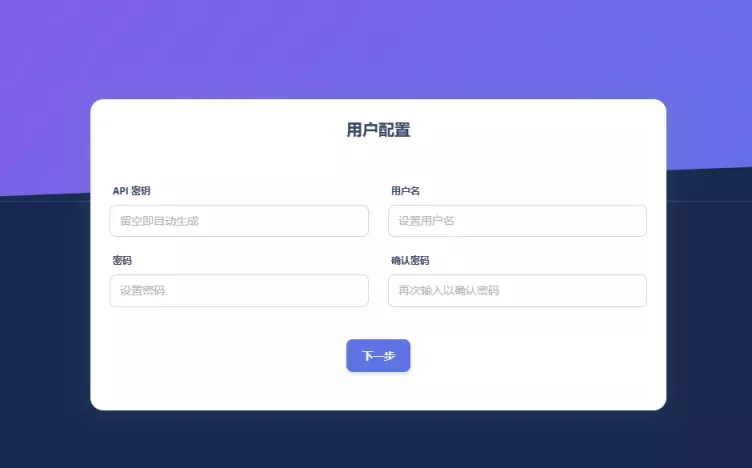
设置登录账号密码,点击下一步
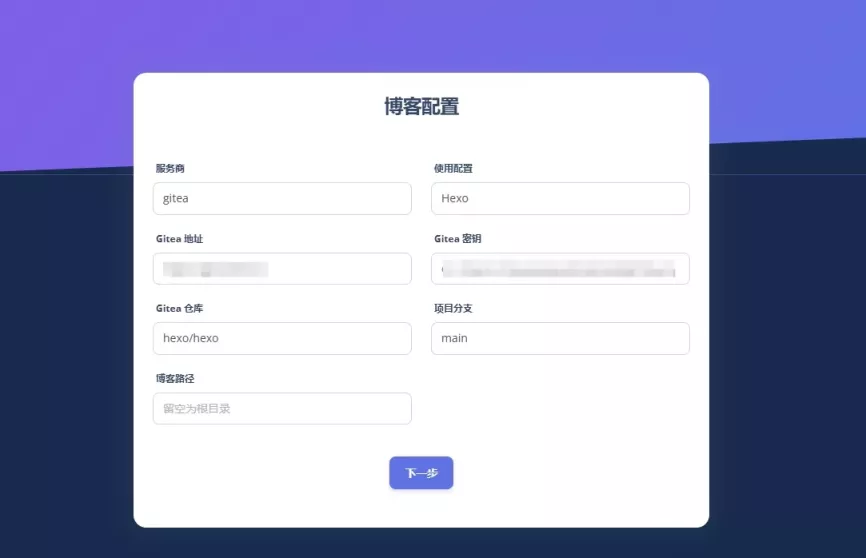
设置你的gitea的托管地址和gitea的密钥、托管仓库和存放hexo的分支。gitea的密钥获取下面讲到。

这样就初始化完成。
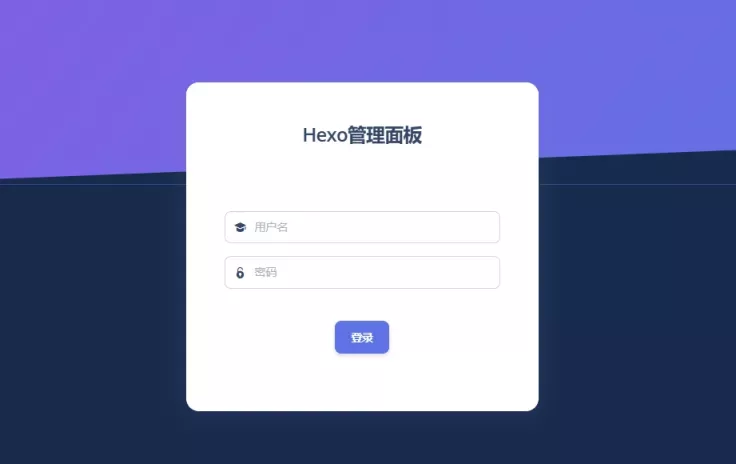
Qexo管理与写作
Qexo的管理页面也是相当简洁。
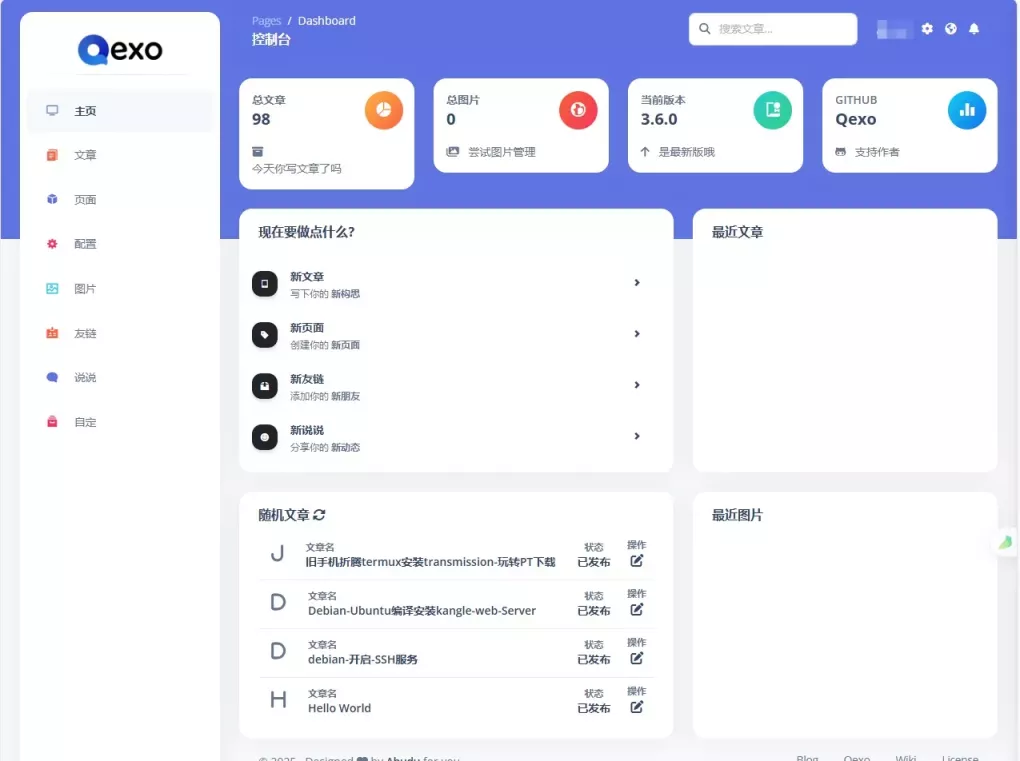
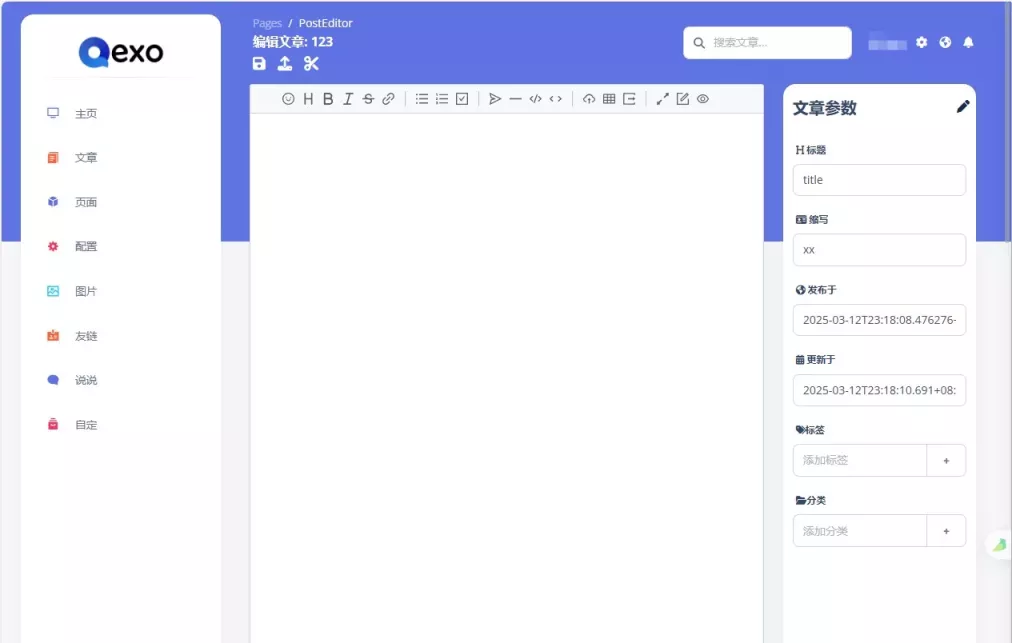
Qexo的写作页面,支持Markdown和可视化写作
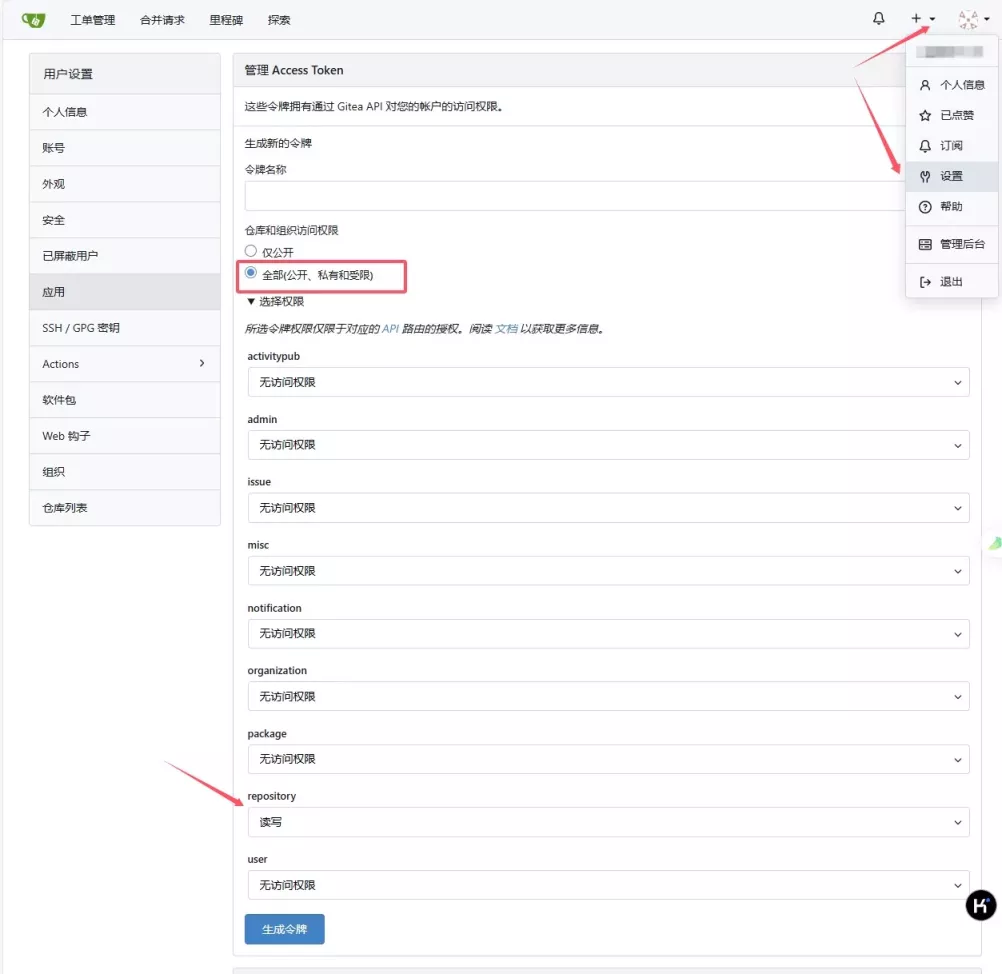
Gitea密钥获取
通过在Gitea创建Token拿到新的令牌,只需要赋予repo的读写权限即可。
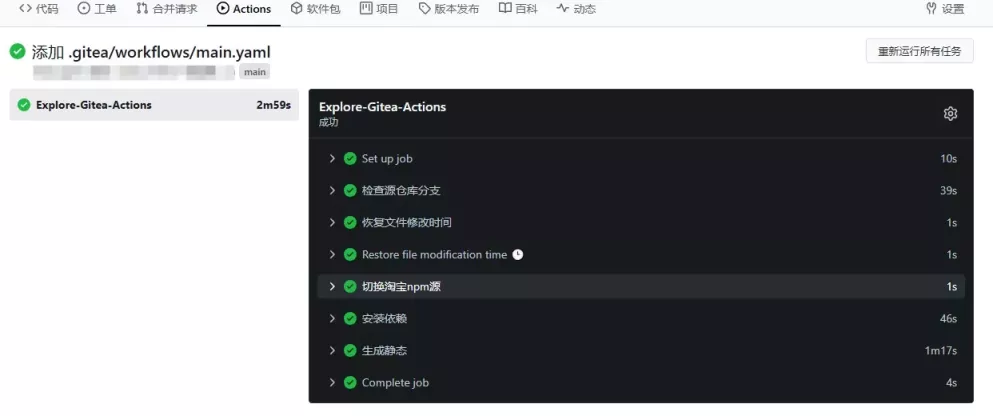
Gitea 自动部署
在仓库根目录下创建 .gitea/workflows/main.yaml 配置文件写法和GitHub的文件差不多。
该为Demo测试,需要更多部署案例可以自行修改。
name: Gitea Actions Hexo
on: [push]
jobs:
  Explore-Gitea-Actions:
    runs-on: ubuntu-latest
    env:
      TZ: Asia/Shanghai
      RUNNER_TOOL_CACHE: /toolcache
    container:
      volumes:
        - act-toolcache:/opt/hostedtoolcache
    steps:
    - name: 检查源仓库分支
      uses: https://gitea.com/actions/checkout@v4
      with:
        ref: main
        fetch-depth: |
          source

    - name: 恢复文件为提交修改时间
      run: |
        find source -name '*.md' | while read file; do
          touch -d "$(git log -1 --format="@%ct" "$file")" "$file"
        done

    - name: 切换淘宝npm源
      run:
        npm config set registry https://registry.npmmirror.com/

    - name: 安装依赖
      run:
        npm install --save

    - name: 生成静态
      run:
        npm run clean && npm run build


评论