

最近给华为云升级了一下带宽300Mbps,检查发现只有主网卡的IP可以连接,扩展的网卡无法ping。在服务器中配置双网卡双IP单网关,双网卡配置都可以对外提供上网服务。在华为云文档和腾讯云文档找到了相关内容。
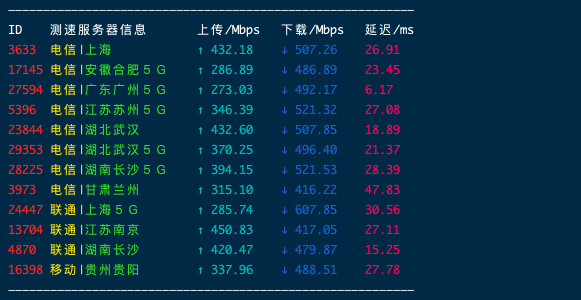
配置信息
- 检查网卡绑定信息
使用 ifconfig 命令查看
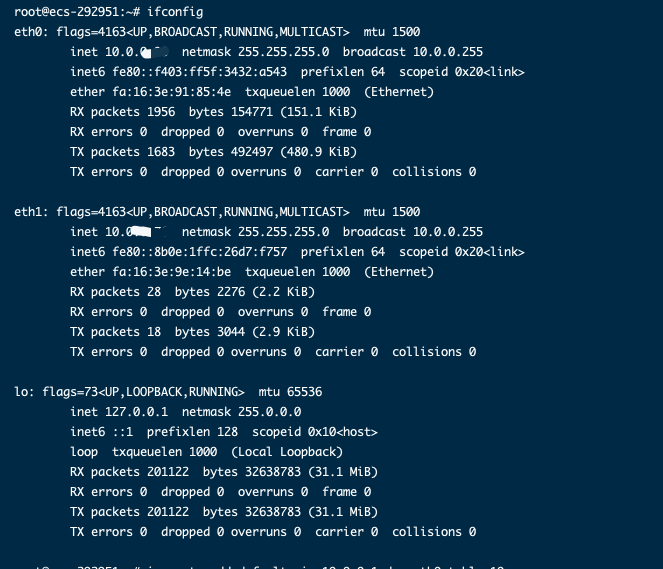
这里eth0为主网卡,eth1为扩展网卡。如果没有你的网卡信息这就需要自己去添加。这里要记下IP和网卡名称,下面会用到。如果获取到IP可以不进行下面这一步。
- 如果没有你的网卡信息需要添加一个
编辑系统网络文件 interfaces 文件
apt install vim
vim /etc/network/interfaces
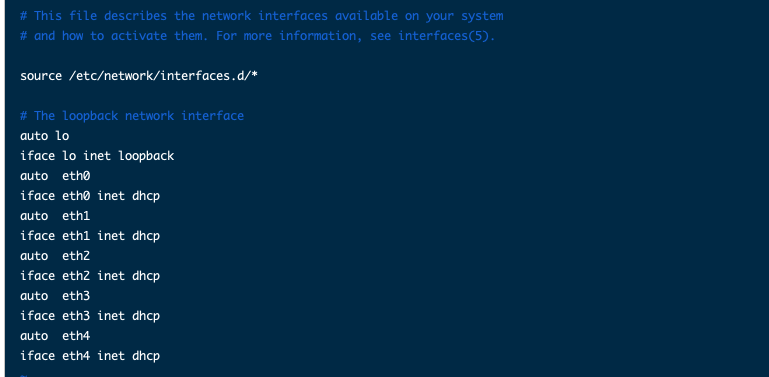
这里是默认提供DHCP来获取,如果是自定义需重新编辑文件
auto eth0  # 此处填写步骤1中查看到的需配置的弹性网卡名称
iface eth0 inet static  # 此处填写步骤1中查看到的需配置的弹性网卡名称
address 10.0.0.30 # 此处填写弹性网卡上的 IP 地址
netmask 255.255.255.0 #此处填写子网掩码创建策略路由
- 创建多张路由表,根据自己需求添加
echo "10 t1" >> /etc/iproute2/rt_tables   #10为自定义的路由ID,t1为自定义的路由表名称
echo "20 t2" >> /etc/iproute2/rt_tables #20为自定义的路由ID,t2为自定义的路由表名称- 创建多个默认路由,根据自己需求添加
# 主网卡
ip route add default via 10.0.0.1 dev eth0 table 10
ip route add 10.0.0.0/24 dev eth0 table 10
ip rule add from 10.0.0.98 table 10

# 扩展网卡
ip route add default via 10.0.0.1 dev eth1 table 20
ip route add 10.0.0.0/24 dev eth1 table 20
ip rule add from 10.0.0.76 table 20

## 命令参考信息
ip route add default via 子网网关 dev 网卡名称 table 路由表名称
ip route add 子网网段 dev 网卡名称 table 路由表名称
ip rule add from 网卡地址 table 路由表名称- 验证策略路由
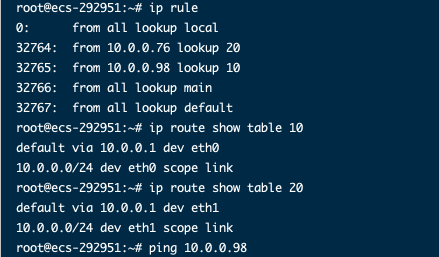
ip rule
ip route show table 10
ip route show table 20

## 命令参考信息
ip rule
ip route show table 主网卡路由表名称
ip route show table 扩展网卡路由表名称- 验证内网 公网 联通
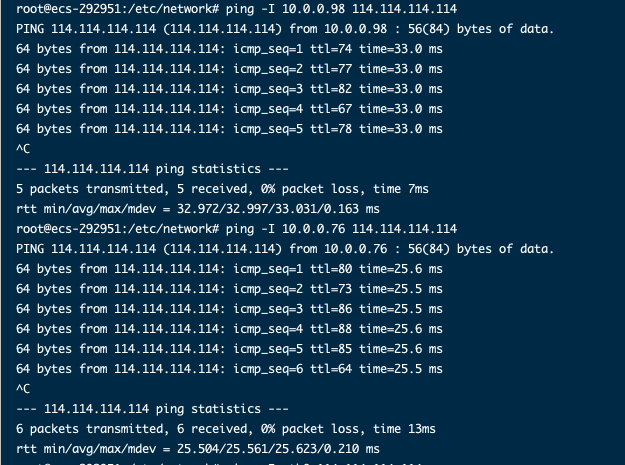
ping -I 10.0.0.98 114.114.114.114

## 命令参考信息
ping -I 源端云服务器网卡地址 目的端云服务器地址配置永久路由
临时路由配置完后立即生效,当服务器重启后临时路由会丢失,执行完配置完临时路由后,应继续执行配置永久路由,避免服务器重启后网络中断。
apt install vim
vim /etc/rc.local添加以下内容
# wait for nics up
sleep 5

# Add v4 routes for eth0
ip route flush table 10
ip route add default via 10.0.0.1 dev eth0 table 10
ip route add 10.0.0.0/24 dev eth0 table 10
ip rule add from 10.0.0.98 table 10

# Add v4 routes for eth1
ip route flush table 20
ip route add default via 10.0.0.76 dev eth1 table 20
ip route add 10.0.1.0/24 dev eth1 table 20
ip rule add from 10.0.1.183 table 20

# Add v4 routes for cloud-init
ip rule add to 169.254.169.254 table main其中,参数说明如下:
- wait for nics up:文件启动时间。
- Add v4 routes for eth0:主网卡的策略路由,和配置策略保持一致。
- Add v4 routes for eth1:扩展网卡的策略路由,和配置策略保持一致。
- Add v4 routes for cloud-init:配置cloud-init地址。
- 按ESC退出,并输入
:wq!保存配置。 - 执行以下命令,为
/etc/rc.local文件添加执行权限。
chmod +x /etc/rc.local- 执行以下命令,重启云服务器。
reboot文章参考:
评论