
目前在腾讯云安装的Debian 10的版本,有些软件包需要Debian 11版本才能升级最新。我是Debian 10升级Debian 11,如果从Debian 9 或者更旧的版本升级到Debian 10 后才能继续升级。
Debian 11升级需要root用户或者sudo权限执行,升级过程参考官方的发行说明
更新现有的安装包
升级前确保当前Debian系统和软件包内核补丁更新到最新版本
apt update -y && sudo apt upgrade -y
apt dist-upgrade删除未使用依赖包
apt --purge autoremove替换更新源
- 使用命令行进行替换
修改/etc/apt/sources.list文件,将源地址buster替换为bullseye,buster/updates替换为bullseye-security。
# 备份sources.list文件
cp /etc/apt/sources.list /etc/apt/sources.list.bak
sed -i 's/buster/bullseye/g' /etc/apt/sources.list- 使用vim编辑器编辑
/etc/apt/sources.list文件
# 编辑文件
apt install vim && vim /etc/apt/sources.list

# 删除旧源地址,添加以下
deb https://repo.huaweicloud.com/debian bullseye main contrib non-free
deb https://repo.huaweicloud.com/debian bullseye-updates main contrib non-free
deb https://repo.huaweicloud.com/debian-security bullseye-security main
deb https://repo.huaweicloud.com/debian bullseye-backports main contrib non-free升级到Debian 11
更新软件包仓库地址,并进行系统升级
apt update && apt full-upgrade提示是否升级,输入Y表示同意升级系统,n表示退出

升级过程大概10分钟,具体根据机器配置来决定,过程根据提示进行配置。
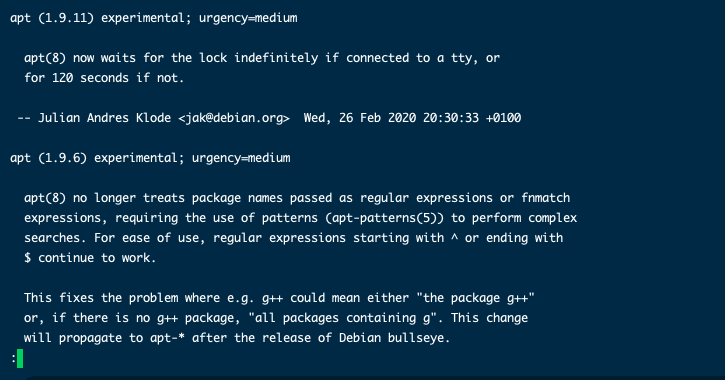
如果升级提示apt的提示,如下图,输入q退出继续
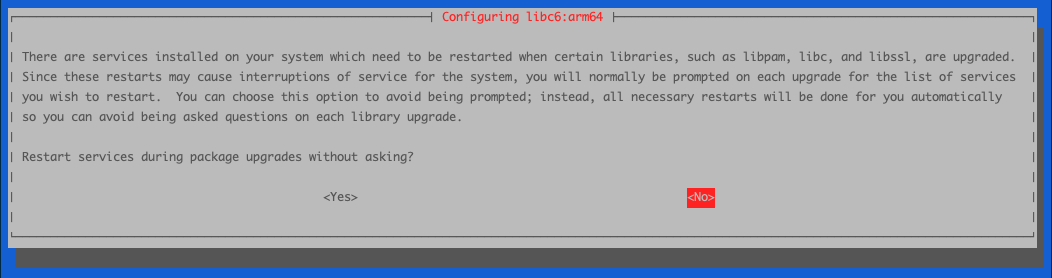
系统上有一些在运行的服务需要特定的软件库(libc、libssl、libpam、chrony等)的升级过程会重新启动,由于重新启动会导致系统服务中断,选择Yes 在软件包升级过程中不经询问直接重启服务。
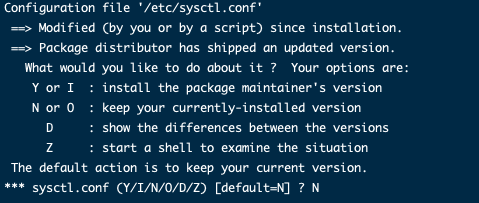
提示是否更新/etc/sysctl.conf 文件版本,默认为 N,根据你自己的需求选择。
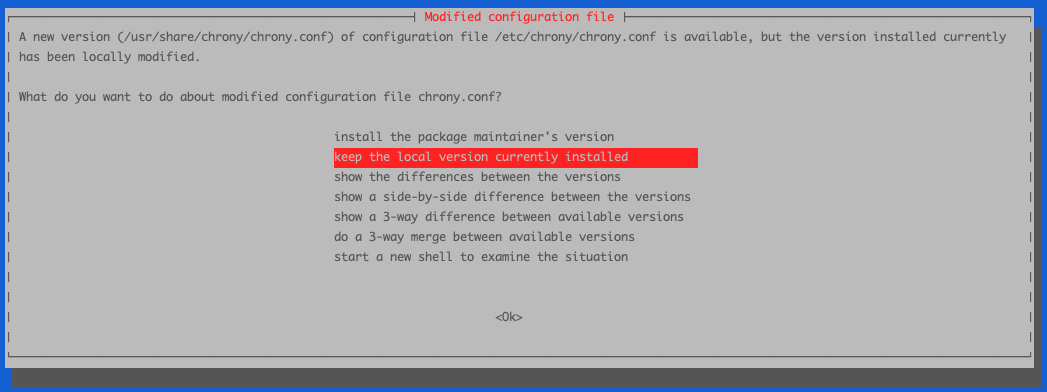
提示是否更新chrony时钟同步配置文件,我选择Keep the local version currently installed 保留当前版本,服务器安装时钟同步提示,没有安装不会提示
提示是否更新OpenSSH配置文件,我选择Keep the local version currently installed 保留当前版本,如果更改了ssh端口或修改了配置文件,建议保留配置文件。
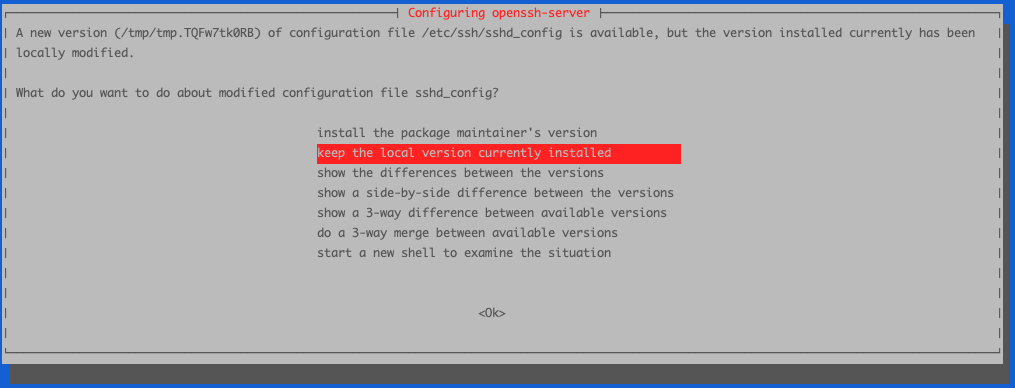
完成后,使用reboot进行重启系统。
验证升级
重新启动后,查看当前系统版本
cat /etc/os-release
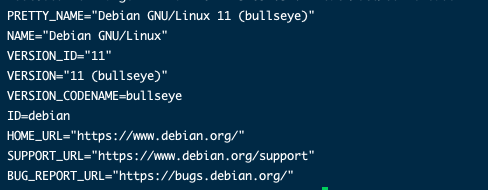
可以看见系统已经升级Debian 11,我们还要检查一下内核版本。

可以看见内核版本也更新到5.10版本。这样就算完成Debian 11的升级。
如果发现查看版本还是10的版本,已经完成11的升级
# 查看可升级的软件
apt list --upgradable -a

# 执行升级Debian 11软件包
apt upgrade base-files
评论