

之前我都是用 Typecho文章图片添加灯箱效果 这个教程。发现渐渐不能满足我DIY的需要。
FancyBox是一款优秀的弹出框Jquery插件
- 允许我们用鼠标和键盘上的四个方向键切换图片
- 可以根据当前窗口大小自动调整弹出框的大小,当我们改变浏览器窗口大小时,将会看到弹出框自动缩放
- 支持缩略图列表、放大、全屏等功能
- 弹出框支持显示多种类型的内容:图片、html、视频…
- 支持触控、缩放手势操作图片
实现FancyBox效果
- 先引入相关的文件
建议放在 fooder.php 底部 </baby> 之前添加
<script type="text/javascript" src="http://ajax.googleapis.com/ajax/libs/jquery/1.7/jquery.min.js"></script> <!--如果主题已经引用了jQuery库,可以忽略这条-->
<link rel="stylesheet" href="https://cdn.staticfile.org/fancybox/3.5.2/jquery.fancybox.min.css">
<script src="https://cdn.staticfile.org/fancybox/3.5.2/jquery.fancybox.min.js"></script>- 添加一段JS 让他输出
<a>标签
<script type="text/javascript">
$(function() {
   $(".article-content p img").each(function(i) {
      if (!this.parentNode.href) {
         $(this).wrap("<a href='" + this.src + "' data-fancybox='fancybox' data-caption='" + this.alt + "'></a>")
      }
   })
});
</script>PS: .article-content p img需要修改为自己文章页面的正文CSS类,把下面代码添加到header或者fooded的文件中
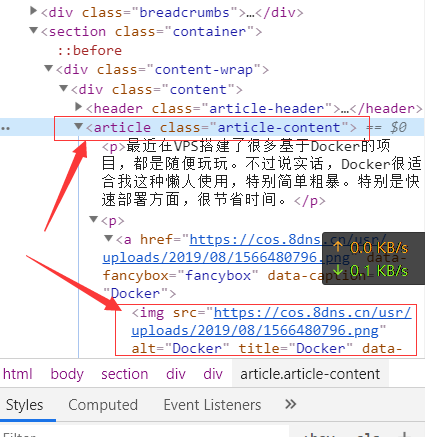
初始化FancyBox
把下面js添加到 footer.php 文件的
评论