

由于要从Docker拉取某个镜像,但是通过默认的源地址拉取镜像的时间很长而且下载缓慢。我们可以通过切换国内加速源来达到加速的目的。
国内加速地址
| 名称 | 加速源地址 |
|---|---|
| 腾讯云镜像 | https://mirror.ccs.tencentyun.com |
| 网易163镜像 | https://hub-mirror.c.163.com |
| 中科大镜像 | https://docker.mirrors.ustc.edu.cn |
| 阿里云镜像 | https://[ID].mirror.aliyuncs.com |
| DaoCloud镜像 | http://[ID].m.daocloud.io |
| 毫秒镜像 | https://1ms.run/ |
PS:使用阿里云镜像加速说明
访问:https://cr.console.aliyun.com/#/accelerator
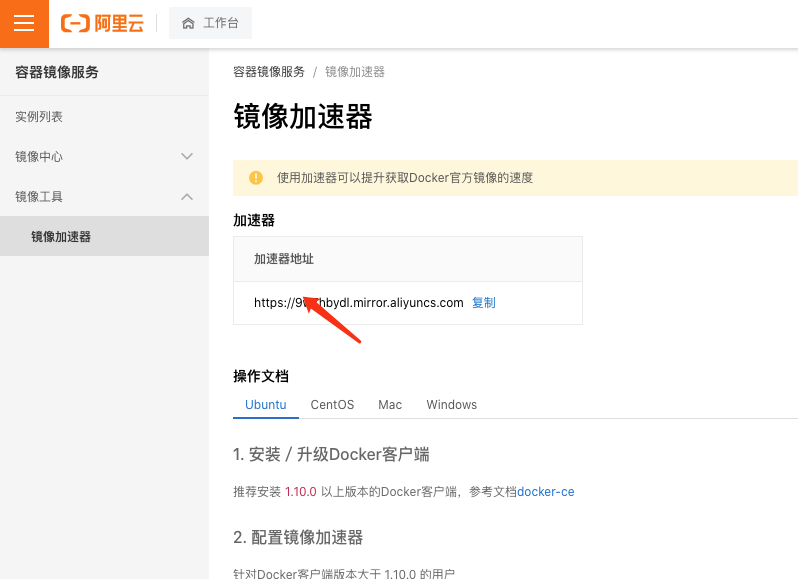
PS:DaoCloud镜像加速器
配置镜像加速说明
使用环境是:CentOS 7
使用docker版本:1.7.1
- 修改
/etc/docker/daemon.json配置文件
vim /etc/docker/daemon.json- 配置daemon配置文件
PS:要保证文件符合josn规范,不然可能会导致bug
# 替换内容
{
  "registry-mirrors": [
    "https://mirror.ccs.tencentyun.com",
    "https://hub-mirror.c.163.com",
    "https://docker.mirrors.ustc.edu.cn"
  ]
}

# 退出编辑并保存
:wq- 重启docker服务使配置生效
sudo systemctl daemon-reload
sudo systemctl restart docker- 查看更新源
docker info配置完成后重新查询pull
评论